How Keyriff works
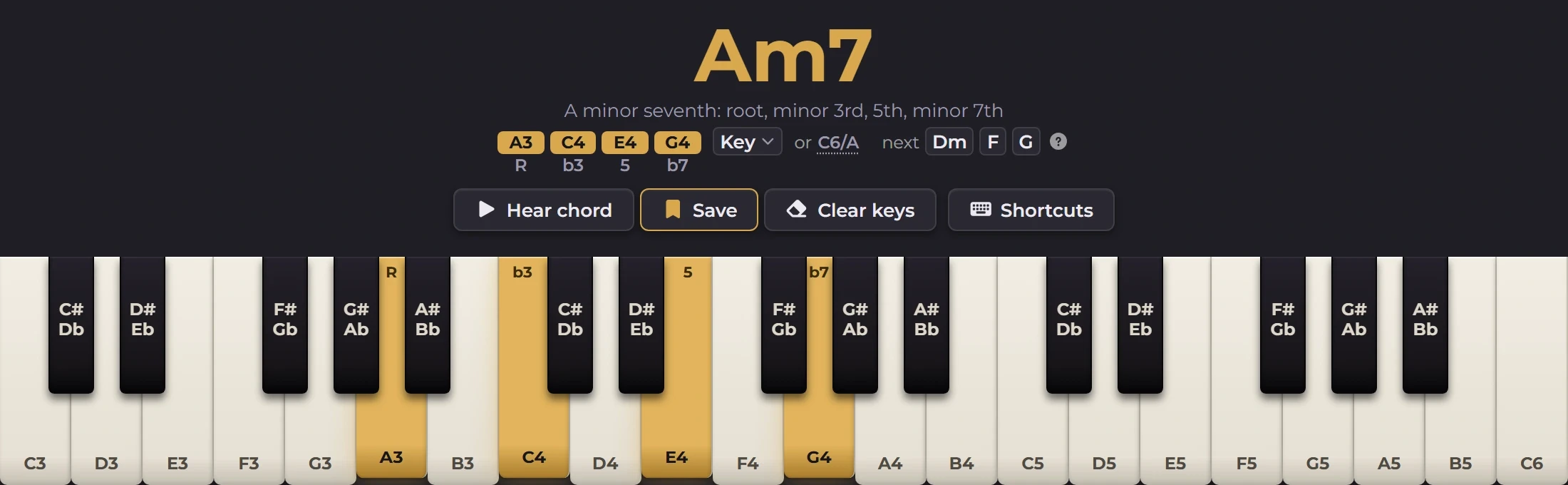
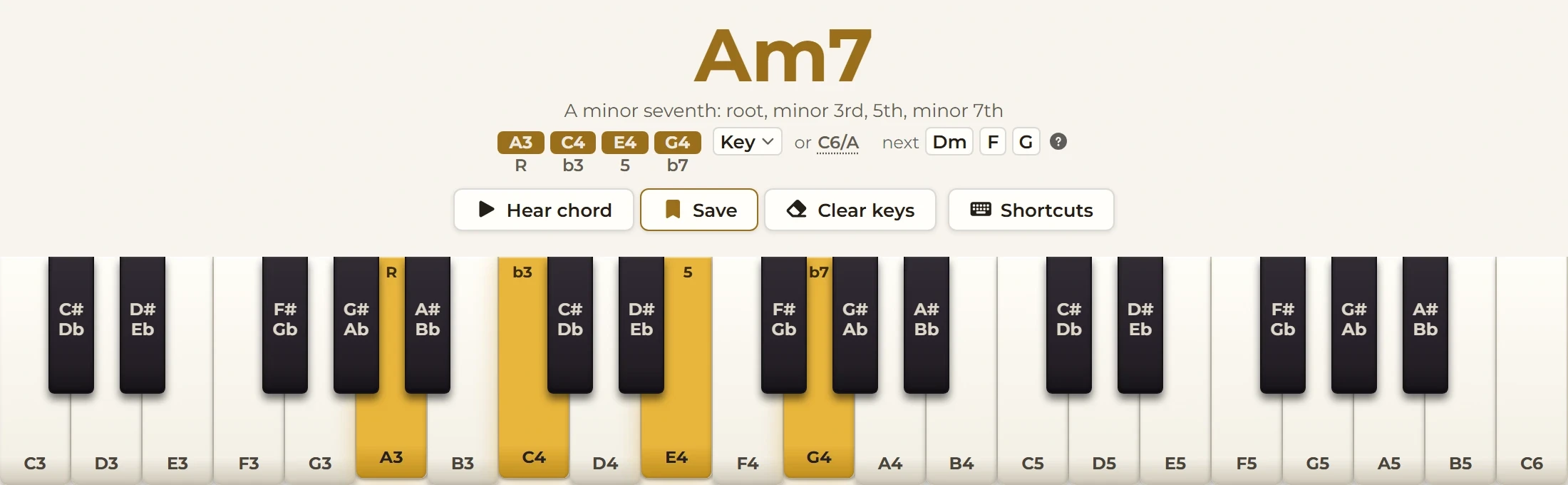
Keyriff is a piano chord finder that works the other way round: you press keys and it tells you what you played. It's for people who play by ear. You stumble onto something that sounds good, and a minute later it's gone. Keyriff names it, keeps it, and puts it in a practice sheet you can play back.
It's built with React and TypeScript on Vite. Zustand holds the state, Tone.js plays the sound and tonal does the music theory.
Naming what you played
Every chord name comes from tonal, a music theory library, not from rules I wrote myself. Keyriff sorts the keys from lowest to highest first, because tonal's Chord.detect treats the first note it gets as the bass. Then it keeps only the names whose notes match the keys you're holding. Occasionally tonal suggests one that doesn't.
export function nameChord(notes: string[]): string[] {
  const pitchClasses = sortByPitch(notes).map((n) => Note.pitchClass(n));
  const played = new Set(pitchClasses.map((n) => Note.chroma(n)));
  // Some of tonal's type names read back as another root ("G" + "b9sus" parses
  // as Gb), so a name is kept only if its own notes are the keys played.
  const fits = (name: string) => {
    const [symbol, bass] = name.split("/");
    const tones = new Set(Chord.get(symbol).notes.map((n) => Note.chroma(n)));
    if (bass) tones.add(Note.chroma(bass));
    return tones.size === played.size && [...tones].every((c) => played.has(c));
  };
  const detected = Chord.detect(pitchClasses);
  const kept = detected.filter(fits);
  return rankChordNames(kept.length > 0 ? kept : detected);
}
Then it ranks what's left. A plain name like Am7 beats a slash chord like C6/A, and far-fetched names built on altered notes are dropped. The best name goes on top, and the others appear after an "or" underneath. Tap one and the R, 3 and 5 labels on the keys switch to that chord.
The sorting matters more than it looks. Without it, the name depends on the order you pressed the keys. Press E4, then G4, then C4, and you'd get "C/E" instead of C, and that wrong name would be saved. So the sorting happens inside nameChord, the one function everything else calls, and tests check those exact cases.
A key only when you ask for one
Keyriff can also say where a chord sits in a key, like "vi7 in C". It only does that when you've chosen the key yourself or asked Keyriff to detect it. It never guesses, because a wrong guess would label an F# chord "bV in C", which helps nobody.
The "Goes well next" suggestions are different. They can guess the key from the first chord in your sheet, because most chord progressions start on their home chord. They come from a small table of where each chord in a key usually goes next:
/** Where each scale degree usually goes, best first. Indices are 0 = I. */
const NEXT: Record<number, number[]> = {
  0: [3, 4, 5, 1], // I    -> IV, V, vi, ii   (tonic can go anywhere)
  1: [4, 6],       // ii   -> V, vii°         (predominant resolves to dominant)
  2: [5, 3],       // iii  -> vi, IV
  3: [4, 0, 1],    // IV   -> V, I, ii        (V, or the plagal cadence)
  4: [0, 5],       // V    -> I, vi           (authentic, or deceptive)
  5: [1, 3, 4],    // vi   -> ii, IV, V
  6: [0],          // vii° -> I               (leading tone resolves)
};
If the chord you're holding isn't in the key, Keyriff shows no suggestions at all. Wrong suggestions would teach you something false.
The first press
The first key you press is the moment everything depends on. If the keyboard waits for the piano sounds to load before it reacts, one error can freeze it. That happened in a test in WebKit, the browser engine behind Safari: Tone.js threw an error while loading the sounds, and the keys never responded. Chrome's iPhone mode doesn't catch this, because it's still Chrome underneath. Only testing in WebKit itself showed it.
The real problem wasn't WebKit. It was making the keys wait for a download, which also froze them on a slow connection or when the site hosting the sounds was blocked. So a key lights up and the chord is named straight away, sound or no sound. Starting the audio engine takes about 185 ms on the first press, and nothing waits for it:
const detected = detectChords(next);
// Nothing may be awaited above this set(). Starting the audio engine costs
// ~185 ms on the very first press, and that press is the one interaction
// the whole product rests on. Lighting the key first also makes the WebKit
// throw below harmless: Tone can fail and the key still lights.
set({
  ...held(next, detected),
  // Keep highlighting the chord being replaced; otherwise auto-match
  activeSavedChordId: replacingChordId ?? findMatchingSavedChord(next, savedChords),
});
It's a written rule in the project: never make the main interaction wait for the network. If the sounds fail to load, you get a Retry button and a silent piano that still names every chord.
No backend, on purpose
Keyriff has no server, no accounts and no database. Your chords and sheets are stored in your browser. Adding a server would be hard to undo. It would bring a bill, something to keep secure and other people's data to look after. And Keyriff's whole promise is that it's free, needs no account and uploads nothing.
The downside is real. Your work stays on one device, and clearing your browser data would delete it without warning. So Keyriff can save every sheet and your whole chord library to one backup file, and restore everything from it.
What does leave your browser is usage analytics. The privacy page on keyriff.com lists exactly what they send, and any change to the analytics has to update that page too. Keeping the two in line caught a real leak: one event was sending the nickname you'd typed for a chord, while the page said your own words were never sent. The page was right, so the code was fixed. A test renames chords, sections and sheets with a unique word, and fails if that word shows up in anything sent.
Keeping it light
A first visit downloads about 128 KB of compressed JavaScript. The limit is 150 KB, and a check in CI fails if it goes over. The sound engine, the PDF export and the analytics only load when they're needed, so they don't count. The limit can go up, but only with a reason written down in the same change. The piano sounds are trimmed too. The recorded piano has 30 samples, and Keyriff loads only the 15 its keys can reach, about 1.3 MB less to download.
More than a thousand Vitest tests cover the code. Playwright scripts check the built app in a real browser, and Storybook shows each UI component on its own.
What's next
MIDI keyboards work, but Keyriff has only been tested with a simulated one, so a real keyboard is still to try. The idea that keeps coming up is practice with feedback. Keyriff shows a chord, you play it, and it tells you whether you got it right, inversions included.